Treatment must match Diagnosis
According to the insurance industry, we as massage therapists are not considered qualified to diagnose. All of the notes about our treatment must relate VERY DIRECTLY to the doctors diagnosis. You and I all know that everything in the body is connected, but the insurance industry doesn’t always see it the same way
If the patient is having any symptoms from the accident that are inconsistent with the current diagnosis, or imply additional injuries, the ONLY place you can put this is the Subjective section of the notes. Click the “Other” Box and describe them. Documenting other pains from the accident help create a paper trail that may help the client in the future. If you feel there is a glaring misdiagnosis, please tell the patient to talk to their doctor about getting it corrected.
In the Objective section, its important that your entries ONLY relate to the treatment you are providing to diagnosed conditions. For example, if the patient has a tight shoulder, you would only treat that and indicate it on the form if it was a diagnosed condition. We of course know everything is connected in the body, but it has to be a clear connection between what you are treating and the diagnoses for you to get paid.
Session Dates
Read the treatment plan and look at the start and end dates.
Work Comp, you cannot go over the expiration by even 1 day.
No-Fault is just slightly more flexible and some adjusters may be more lenient that others. By default we use the most conservative interpretation which allows for up to a week of flexibility depending on the start date: For example, say you start the prescription 4 days after it was issued, then you can go 4 days past the expiration date. This is true for starting up to a week after the start date. Clients can ask their adjusters for extensions if special circumstances warrant and we will note those in the case file.
Our week begins on Monday and Ends on Sunday. Make sure not to do more sessions in a week then specified. If the client is seeing more than one therapist, work with the client to make sure you don’t exceed the sessions per week.
Online SOAP Note System (aka BIMN Portal)
If its your first time, ask the office to send you the activation link.
Login from the link on the ”information for therapists” page.
The first time you ever log in, you have to review the “My Information” tab and enter all required fields before you can access the rest of the portal.
The “My Prescriptions” page shows a list of prescriptions you have been assigned to.
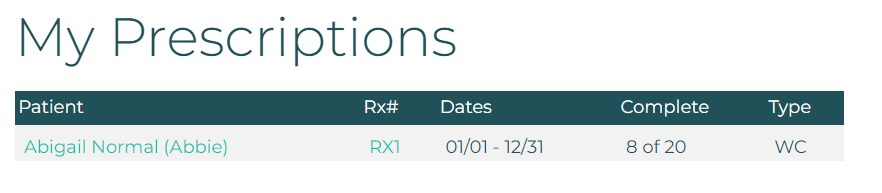
Click a clients name to get their phone number to contact them.
Click on the prescription number to get to the “Prescription Detail” page where you can see the treatment plan, the diagnosis, and how many treatment notes have been filed.

If you need more details like a the doctors notes, or an MRI result, please ask the office.
Click New Soap Note to enter your note.

All of the information in a SOAP note including the DOS can be changed up until the time you electronically sign the note by hitting the Submit button.
After you submit the note, if you want to save a PDF of the SOAP for your own records, click the “completed….” link on the right of the relavent DOS.

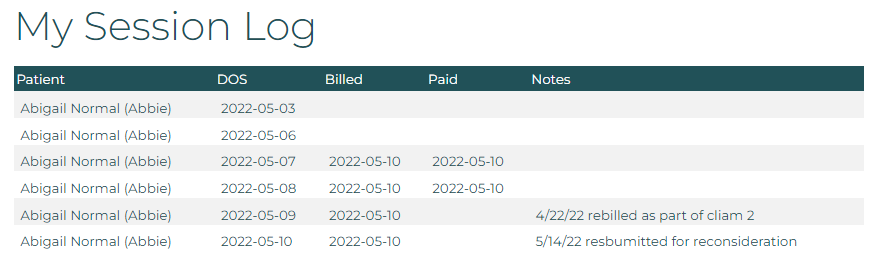
If you want to see all the sessions you have submitted for all clients and and which ones have been paid, choose “My Session Log” in the menu: